Mining made faster
than ever

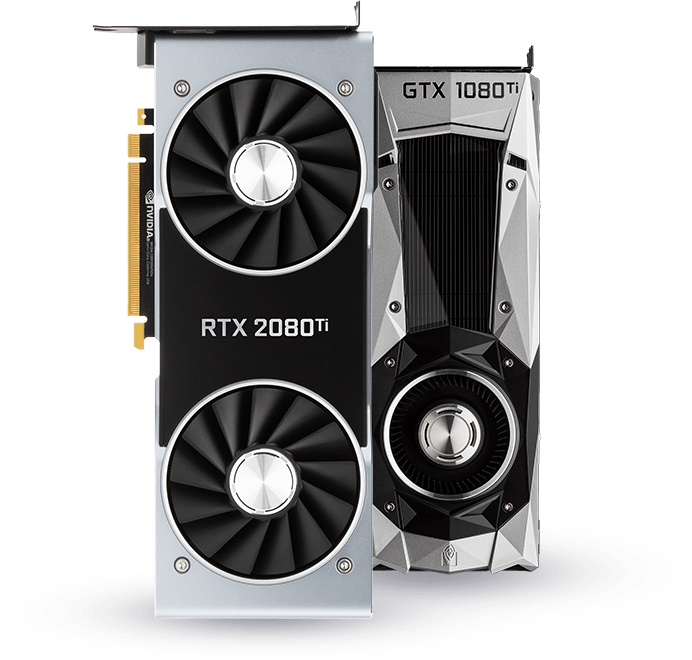
T-Rex is a simple to use and highly optimized cryptocurrency mining software. It utilizes the full potential of modern NVIDIA graphics cards using unique optimization techniques.

We have also devoted great attention to stable power consumption. These benefits, along with only 1% devfee, make our product one of the best publicly available miners.

Let your devices earn with T-Rex!

RTX 2080

: Supports execution via standard Fastboot or Android Debug Bridge (ADB) modes. How to Use the Qualcomm FRP Unlock Tool

is a highly specialized, lightweight Windows utility developed by Hipad Telecom to bypass Factory Reset Protection (FRP) on Qualcomm-powered Android devices. FRP locks trigger automatically when a device is hard reset without logging out of the linked Google account first. If you have forgotten your Google credentials after a factory reset, this application allows you to regain full access to your smartphone or tablet in just a few clicks.

: No heavy installation is required. Run the extracted executable directly to keep your computer's registry clean.

: Power off your smartphone. Hold the manufacturer-specific key combinations (usually Volume Up + Volume Down) and plug in your USB cable to enter EDL (Emergency Download Mode) or Fastboot Mode .

Always run extracted .exe setups through an updated antivirus suite or a reputable scanning database like VirusTotal before running them on your primary PC. Note that making modifications to your device's core partitions is executed at your own risk.

The program is built natively for Microsoft Windows and maintains a light footprint. It is fully compatible with the following versions: Windows XP / Vista (32-bit & 64-bit) Windows 7 / 8 / 8.1 (32-bit & 64-bit) Windows 10 / 11 (32-bit & 64-bit) Critical Security and Usage Warning

: Download and install the official Qualcomm USB Drivers on your Windows PC. Without these, your computer will fail to recognize your phone in low-level hardware modes.
Qualcomm Frp Tool C V1 01 Top !!better!! Download -

: Supports execution via standard Fastboot or Android Debug Bridge (ADB) modes. How to Use the Qualcomm FRP Unlock Tool

is a highly specialized, lightweight Windows utility developed by Hipad Telecom to bypass Factory Reset Protection (FRP) on Qualcomm-powered Android devices. FRP locks trigger automatically when a device is hard reset without logging out of the linked Google account first. If you have forgotten your Google credentials after a factory reset, this application allows you to regain full access to your smartphone or tablet in just a few clicks. qualcomm frp tool c v1 01 top download

: No heavy installation is required. Run the extracted executable directly to keep your computer's registry clean. : Supports execution via standard Fastboot or Android

: Power off your smartphone. Hold the manufacturer-specific key combinations (usually Volume Up + Volume Down) and plug in your USB cable to enter EDL (Emergency Download Mode) or Fastboot Mode . If you have forgotten your Google credentials after

Always run extracted .exe setups through an updated antivirus suite or a reputable scanning database like VirusTotal before running them on your primary PC. Note that making modifications to your device's core partitions is executed at your own risk.

The program is built natively for Microsoft Windows and maintains a light footprint. It is fully compatible with the following versions: Windows XP / Vista (32-bit & 64-bit) Windows 7 / 8 / 8.1 (32-bit & 64-bit) Windows 10 / 11 (32-bit & 64-bit) Critical Security and Usage Warning

: Download and install the official Qualcomm USB Drivers on your Windows PC. Without these, your computer will fail to recognize your phone in low-level hardware modes.

Get in touch

If you have any questions, please contact our support team via one of the channels:

© 2026 trex-miner.com, all rights reserved.